One useful type of filter is the distance filter, which allows users to filter content based on their proximity to a particular location. In this article, we will explore how to create a Drupal views distance filter using the Location module.
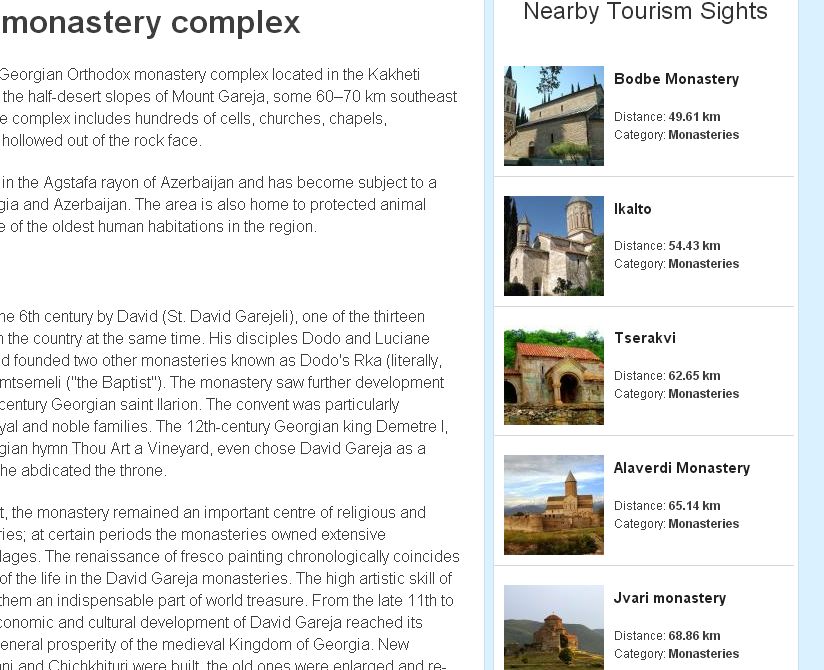
Drupal Distance Block
As you can see in above screen - I have listed Nearby Tourism sights in right sidebar displaying thumbnail, title, distance and category.
If you are looking for similiar functionality, here is what you will need:
- Drupal
- Views module
- Location module
- Gmap module (recommended)
Enable Location module to be able collect geo data, be sure you enable it for your content type as well. You might want to use Gmap module as well for displaying geo data on Google Maps.
Now once you have some content type with Location enabled, and you have entered a few nodes with location information, you can create a "Nearby locations" view:
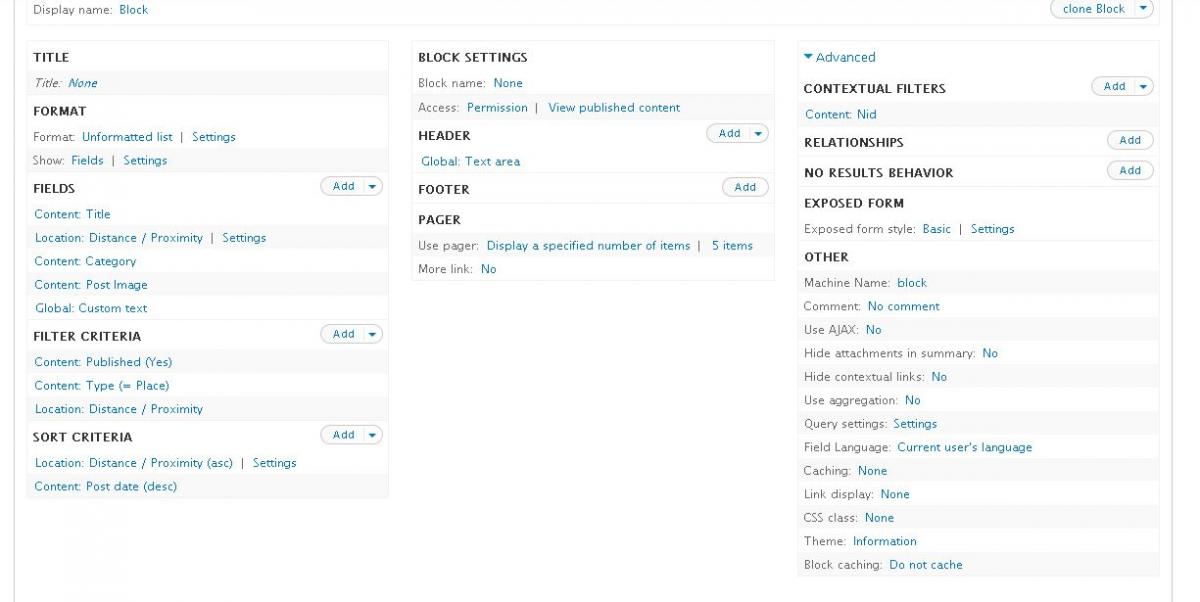
Drupal views: Nearby Locations
As you can see this is pretty basic Drupal view - though to make it work, you will need to pay attention to Contextual Filters, Filter Criteria and Sort Criteria.
Contextual Filters
Content:Nid
- Provide default value: Content ID from URL
Under More tab:
- Check next to Exclude
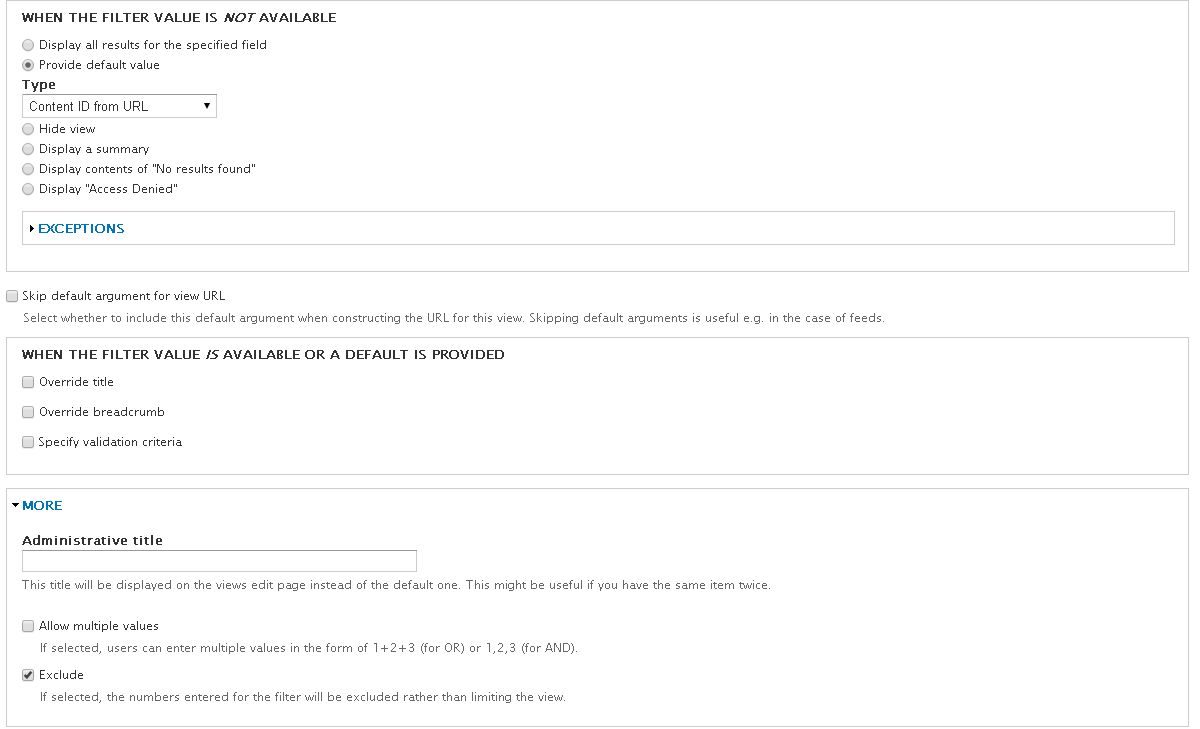
Drupal Contextual Filters
Filter Criteria:
Add a new filter: Location: Distance/Proximity
- Origin: Node's Latitude / Longitude from views nid argument
- Node ID argument to use: Content Nid
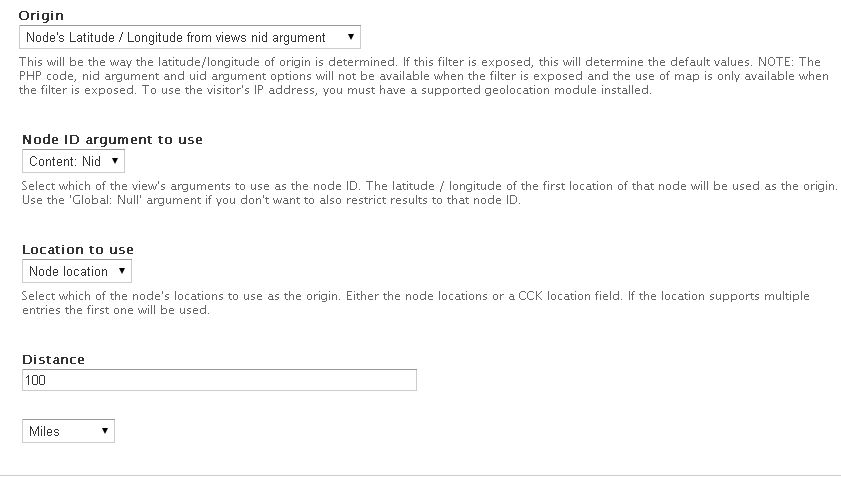
Drupal views distance filter
Sort Criteria
Add a new criteria: Location / Proximity (asc)
- Change order of sort, so Location / Proximity filter is first of order
Now save your view and add a newly created block to your theme.
Creating a Drupal views distance filter using the Location module is a useful way to allow users to filter content based on their proximity to a particular location. By following the steps outlined in this article, you can easily create a Drupal view with a location filter that meets the needs of your website or application.
Alternatively, consider hiring me as your Drupal website developer.