Since the beginning (almost since) I created my blog (www.reinisfischer.com) I have been using TinyMCE text editor for creating and editing blog posts. But lately I have found that CKEditor might be somehow a bit better text editor for my blog. I'm not against TinyMCE, just CKEDITOR seems a bit better text editor.
What is CKEditor?
CKEditor is the far superior successor of FCKeditor. The editor has been rebranded and completely rewritten. It is now much faster (the code has been optimized), loads faster (the number of files has been reduced, so the browser will perform less HTTP requests) and developers friendly.
Why I like CKEditor?
I like it for it's many out of box features, you don't need to install a single additional library, just download CKEditor module, enable it, and fine tune it a little bit. All libraries are loaded from CDN.
The simplest way to have the editor running is to use CDN, to use it set: //cdn.ckeditor.com/4.4.3/full-all
How to install CKEditor for Drupal website
- Download and install CKEditor to Drupal sites/all/modules folder and enable it from module page
- Create a new text format (admin/config/content/formats/add) for example: CKEDITOR, assign it to authenticated user roles
Visit admin/config/content/ckeditor and under Profiles choose either Advanced or Full tab and enable CKEditor for text format you just created:

CKEDITOR PROFILES
Expand Basic Setup tab and check your text format
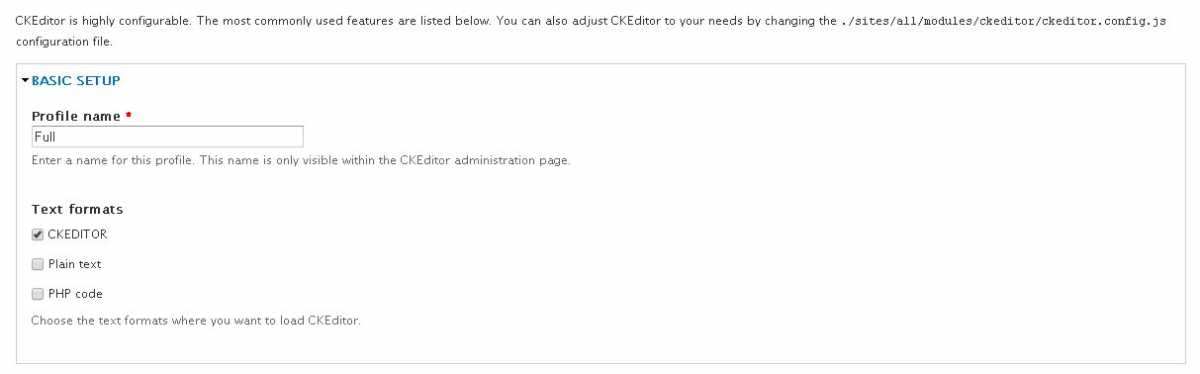
Ckeditor basic setup
Congratulations you have just enabled CKEditor text format for your Drupal website, next create new post, and change display to CKEDITOR text format
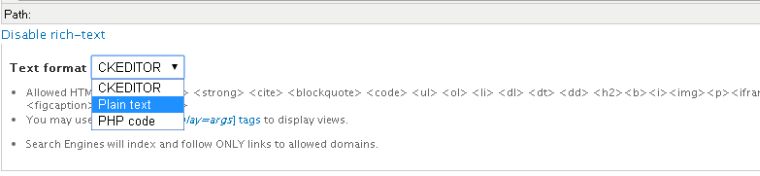
Switch to CKEDITOR text format
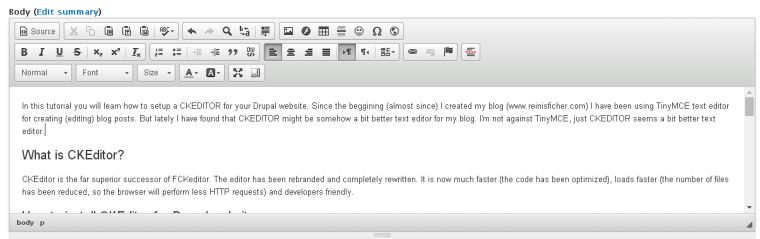
CKEditor WYSIWYG text editor
Optional - Enable IMCE to insert images into CKEditor text editor
If you are planing to insert images in your posts - you should install IMCE module and under File Browser settings tab (admin/config/content/ckeditor/edit/Full) change File Browser type for Image Dialog Window to IMCE
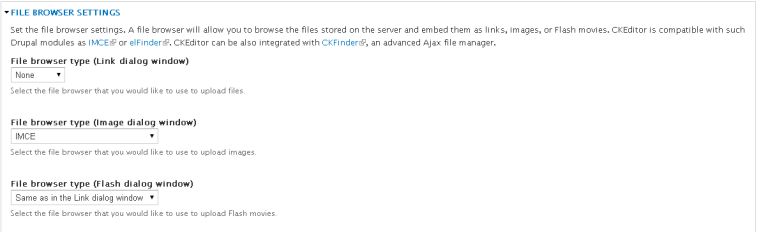
CKEditor IMCE
Optional - Enable Spell checker for CKEditor text editor
Another neat feature you might want to enable is spell checker. Under Advanced Options tab (admin/config/content/ckeditor/edit/Full) check Yes under Spell checker
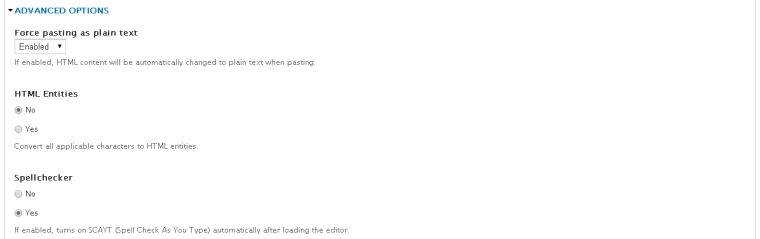
CKEditor spell checker
Optional - Display Word Count for CKEditor text editor
This is the feature I really enjoy - since I believe that the length of the post affects how Google ranks the post (the longer the better) - I'm always trying to write at least 500 word long posts (Read more: Writing minimum 500 words per day)
Under Editor Appearance tab (admin/config/content/ckeditor/edit/Full) scroll down to the Plugins section and enable Plugin to count symbols, symbols without blanks and words
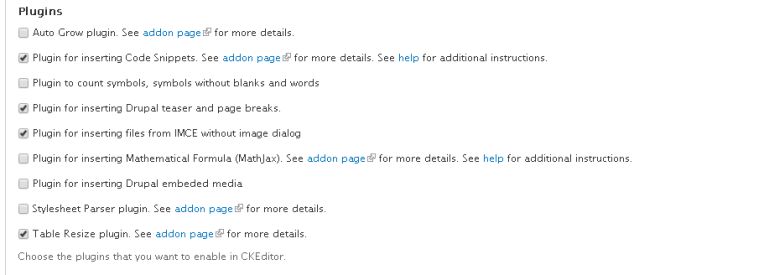
CKEditor count plugin
The Bottom Line
CKEditor text editor is a fantastic Drupal extension for your website.
P.S. If you are considering a hosting for your Drupal website check out Bluehost, their shared hosting starts as low as $3.95/mo or read more about cheap Drupal hosting.