How To add Pixelate effect Adobe Premiere Pro

| Digital Photography School | 906 seen

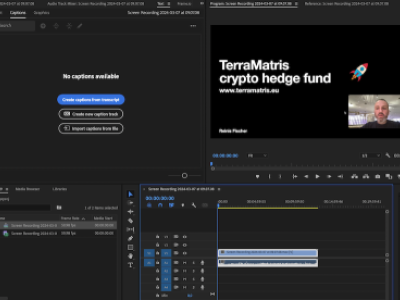
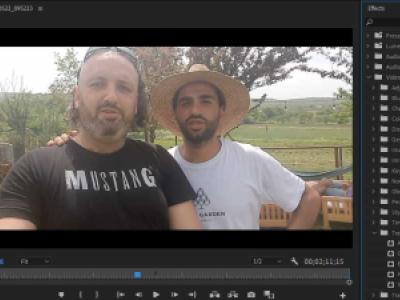
Recently I faced an issue with a video uploaded to YouTube, the video featured parts that needed to be removed or pixelated. After a quick google search I found this awesome video tutorial, and here is how:

From the Effects panel search for 'mosaic' - > choose from Stylize and apply Mosaic to all clip
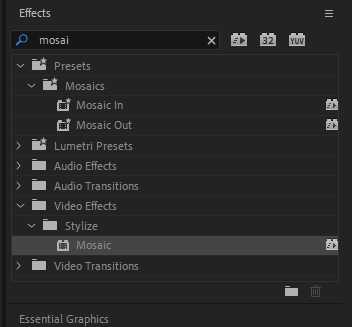
Mosaic effect in Adobe Premiere Pro

If you are looking to pixelate just a part of the video, say a face or body, from the effect Control window, under the Mosaic, select oval shape (or square)
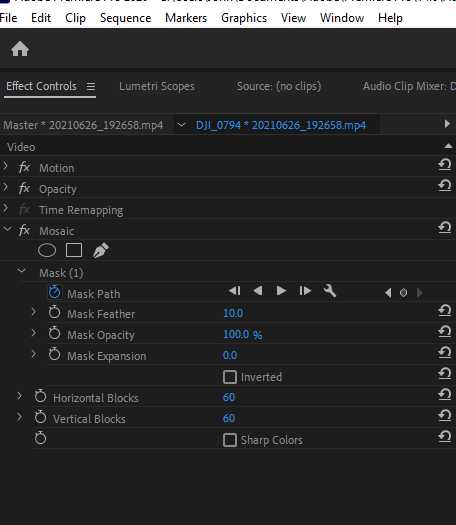
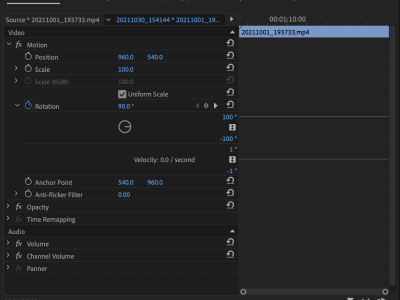
Effects Control in Adobe Premiere Pro

To make it automatically track a person, from the Mask path, click the play button (but before that, make sure you are at the start of the clip)

Hope it helps!
 

Receive weekly trade ideas and portfolio adjustments directly to your inbox.

I share ongoing portfolio progress with a focus on generating income through covered calls on quality stocks. Each update includes positioning changes, trade rationale, and forward-looking adjustments based on current market conditions.

Latest articles

New Synagogue Berlin

The New Synagogue in Berlin is one of the city’s most recognizable historical landmarks, located on Oranienburger Straße, within walking distance of Alexanderplatz. Its striking golden dome rises above the surrounding buildings, making it visible from afar and hard to miss even during a casual walk through the neighborhood.Originally inaugurated…

Germany |
Embedded thumbnail for Book Reading Afternoon in Tbilisi

Book Reading Afternoon in Tbilisi

At the start of March, it was Book Week at the British International School of Tbilisi. Year 3 students were given a fun assignment: create a short video about their favourite book and take photos of themselves reading in unusual places.We slightly misunderstood the task and ended up focusing entirely on reading in unusual places, turning it into…

Living in Georgia |