In this article you will find how to hide help area for Drupal comments using module Simplify.
I must admit, I have always avoided using default Drupal comment system (which ships out of box for any Drupal site, you just need to enable it from modules page) - I don't now actually why I have been avoiding them, and opted to use third party comment providers (Disqus, for example)
I was working on non-profit Drupal site (voluntary) and wanted to build it without involving any third party plugins, the site involves blog posts and for a comment system I opted in for default Drupal comment system. Just shortly after enabling them - I really didn't like them, because of - confusing Subject field and filter tips area.
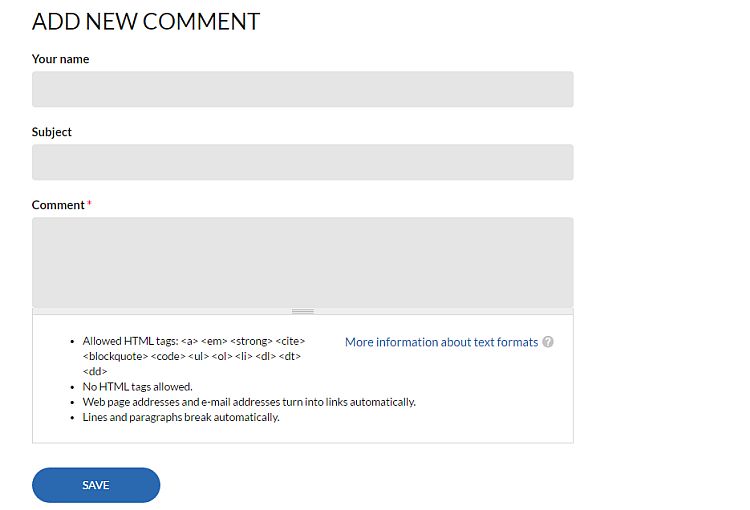
Default Drupal Comment form
It was easy to disable Subject field - just visit your content type, and under comment settings uncheck - Allow comment title
For disabling help area under Drupal comments - it was tempting to use CSS trick - display:none, to get fast results, but as you already know - that's a bad practice, which might end you penalized by Google (Google don't love hidden texts). I almost started with hook_form_alter, but that involved a little research and testing, luckily I found Simplify module and was able to get what I was looking for.
Simplify allows particular fields to be hidden from the user interface. This helps to de-clutter forms and present a more user-friendly experience to content editors.
After I installed and enabled Simplify module, from modules configuration page (admin/config/user-interface/simplify) , under comment settings I checked next to Hide - Text format selection, and I was done. Took me less than five minutes, here is the final result of Drupal comment form:
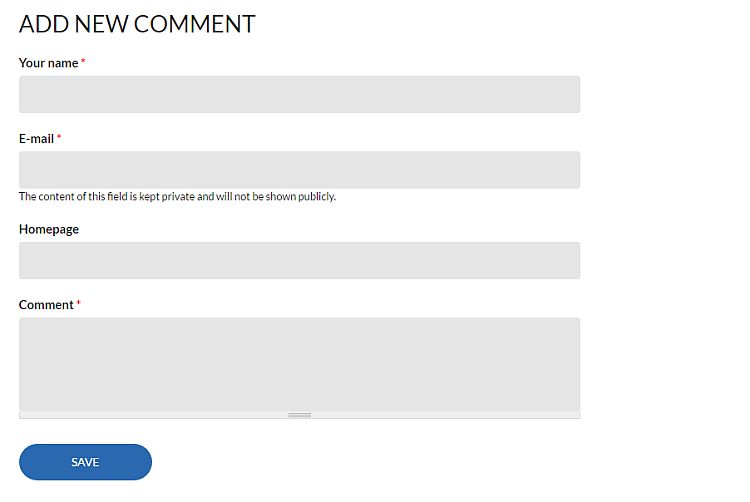
Formatted Drupal comment form
Hope it helps!