How To export Image from Video File in Adobe Premiere Pro

Lately, I've put my DSLR camera aside and mostly using DJI Mavic AIr 2 + phone for photography and video (mostly video). 

The drone is an awesome replacement for a DSLR camera - you can have both video and photography, the only drawback - no audio, that's why I'm using a phone. 

anyhow, recently I discovered an awesome place here in Georgia, the restaurant Salty Garden, I did some drone videography, did some mobile videos, made a nice short clip at the end, but I forget to take any photography - so I was left with no other option - export a single frame (s) from Adobe Premiere

And here is how:

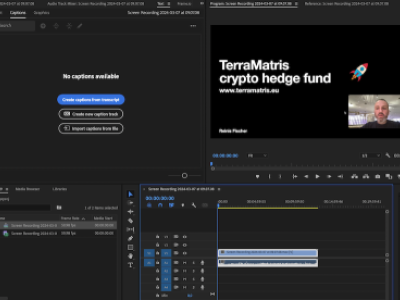
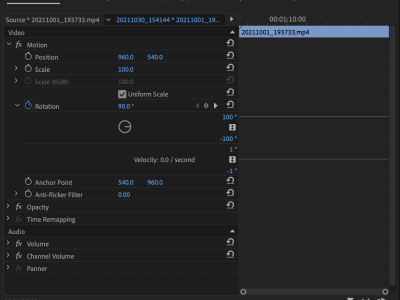
From your timeline, with the frame selected press CTRL+SHIFT+E (or locate export frame icon under the selected video)

Export Frame from Adobe Premiere Pro

Export Frame from Adobe Premiere Pro

You will be prompted to select the Format and chose the location. I chose JPEG (though you can export also BMP, DPX, GIF, JPEG, OpenEXR, PNG, Targa and Tiff)

Next, I can import selected frames in Adobe Lightroom and fine-tune.

Hope this helps!
 

Latest articles

LEGOLAND Berlin Review: A Fun Family Activity in the German Capital

When planning a family trip to Berlin with children, most travelers immediately think about the Berlin Zoo — and rightly so. But if you are spending a few days in the German capital with younger kids, another solid half-day activity is the LEGOLAND Discovery Centre BerlinWe visited it in April 2026 together with our 7-year-old daughter during our…

Germany |

Ādģēri: The 30K Mistake That Turned Into a Long-Term Experiment

In 2023, we bought Ādģēri in an online auction.Price: just over €30,000.Financing: ~6% interest.Total expected payment over ~5 years: ~€40,000.Status (April 2026): more than half already paid.On paper, it was a bad deal.Realistically, we overpaid by at least 5–6× relative to what the property was objectively worth at the time. No serious buyer…

Ādģēri |